
Recently, I received a hint from a community member that noises and pops on the TPA3128-based Amped boards that I wrote about a few times can be fixed simply by changing the modulation mode to BD mode. Since every board based on TPA3118/TPA3128 amps has solder jumpers allowing changing the modulation scheme, I went to test it myself.
Sure enough, it did help with both pops and noise 🙂 Good news for everyone who experienced this issue (and I will reach out to every person who gets the board from my stores), and a little embarrassment for myself, as I should have tested that myself, but somehow I went for a far more complex solution.
It will not change the newer TPA3118 design, which uses DB-mode by default, and adds a few more improvements on top that I’d like to keep.
Below is the change you need to make to get the same fix on your board, applies to
- Amped-ESP32, revisions equipped with the TPA3128 amp
- Amped-Esparagus, revisions equipped with the TPA3128 amp
- Amped Raspberry Hat, revisions equipped with the TPA3128 amp
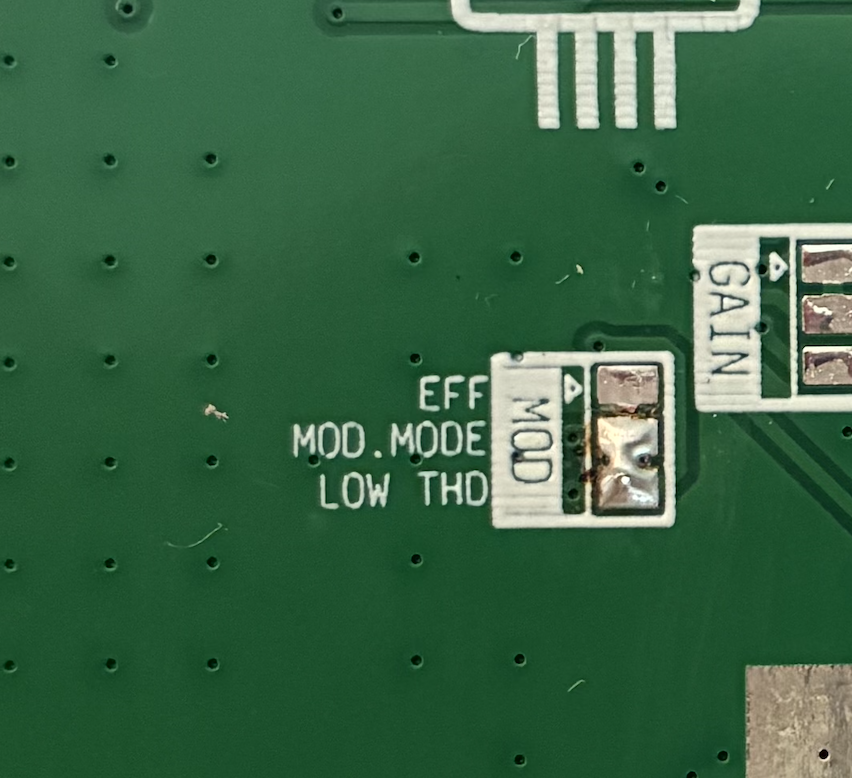
- Locate the modulation-select solder bridge on the back side of the PCB, in the amp area. Cut the “1SPW” solder bridge with a sharp knife. Make sure there are no electrical connections left.
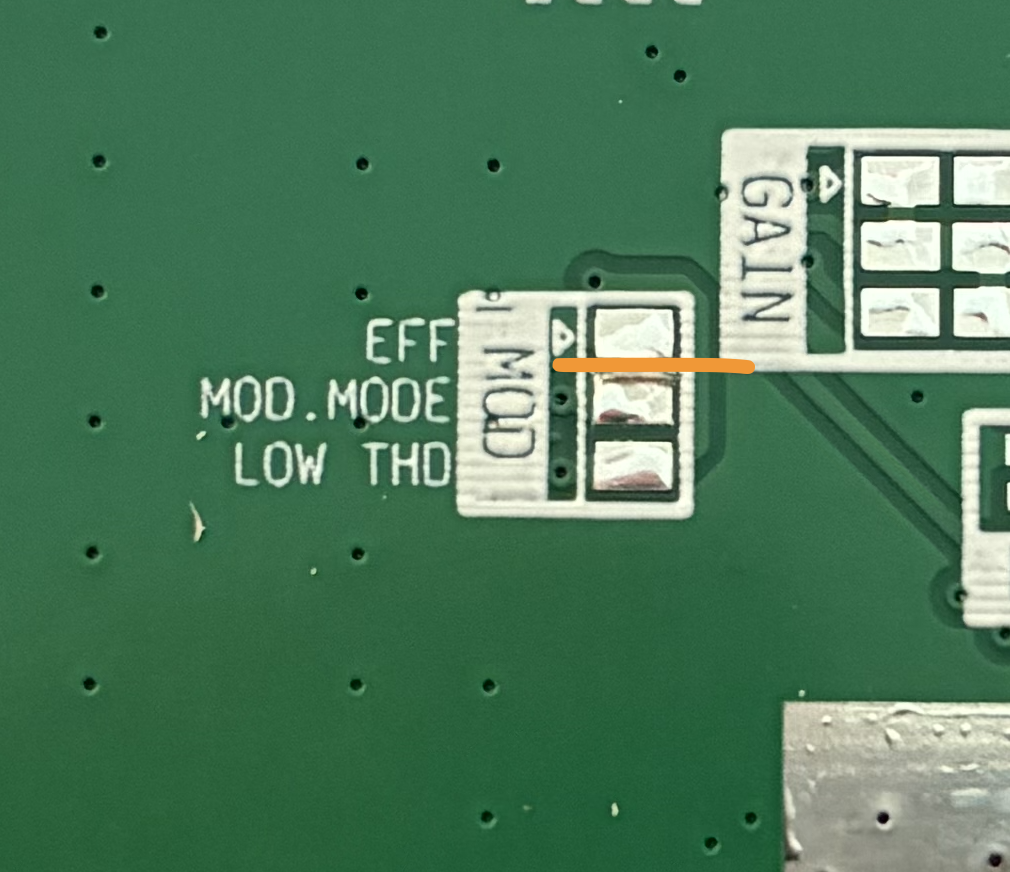
2. Change the solder bridge state to select BD modulation mode instead of the default 1SPW.
Leave a Reply
You must be logged in to post a comment.