

Quick update on the TAS58xx Raspberry driver: it is now possible to export configuration from the PPC3 software and import it into the driver, overriding manual controls with a custom DSP configuration.
A bit of history: the firmware parameter in device three was always there, but unfortunately the expected format of this file was never documented, and it seems to be assumed that PPC3 (Pure Path Console, TI’s own app to set up DACs from different families) can export that settings file. PPC3 only supports C-code .h and text-based .cfg files.
Based on the field request, I thought it would be much easier to be able to use .cfg files, since they are easy to create, easy to read, and easy to use.
How to
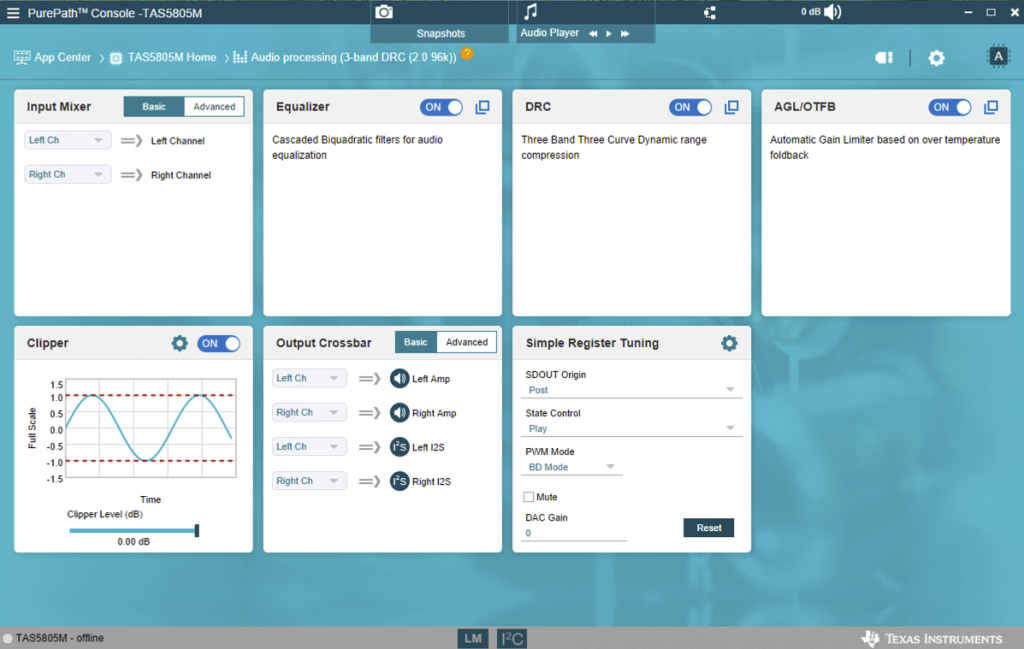
First, you need to get access to the PPC3 software by requesting it from TI (that would be the hardest part). Once you have it installed, you may create the needed configuration in offline mode
Next, navigate to the “End System Integration” screen, select the “Dump Current State” option, and select .cfg format
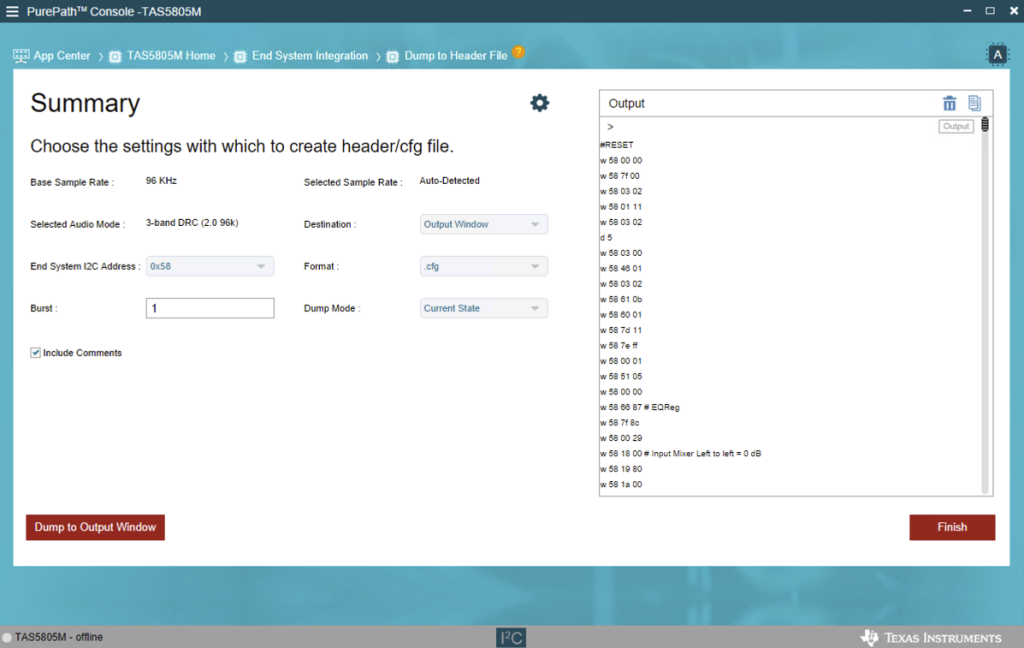
Make sure to change the I2C address in the exported file (for some reason, it suggests the wrong address by default (0x58), while the possible address range is 0x2c..0x2f for TAS5805M and 0x4d..0x4g for TAS5825M.
You need to place this file under /lib/firmware/ folder on the target device; the file name should match tas58xx_dsp_<config_name>.cfg format
The last step is to change config.txt to reflect the required config:
dtoverlay=tas58xx,firmware=<config_name>
It should load the updated config after reboot; manual controls for overridden ALSA sliders will be removed, as they are now firmware-controlled.
Leave a Reply
You must be logged in to post a comment.