One speaker the whole household can use: Spotify Connect from any phone or computer, AirPlay from an iPhone or Mac, and plain Bluetooth for guests — all at once, with no server and no extra app. It runs Squeezelite-ESP32, a mature open-source firmware, on a small ESP32 audio device that plugs into your speakers or amplifier.
- Spotify Connect, built in: the speaker shows up in the Spotify app on every phone, tablet and computer — the device streams on its own, so your phone is just the remote
- AirPlay: play from any app on an iPhone, iPad or Mac
- Bluetooth: anyone can pair, Android and guests included
- Standalone: all three work out of the box, with nothing else to install or keep running
- Multi-room when you want it: add Music Assistant or Lyrion Music Server later, and rooms play in sync
- Affordable: from about $20 per room, reusing the speakers you already have
Is this the right firmware for you?
Every Sonocotta device can run several firmwares, and the hardware is the same, so you can always switch later. Here is how the three popular choices compare.
| This page Spotify, AirPlay & Bluetooth | AirPlay 2 | Home Assistant | |
|---|---|---|---|
| Needs a server | no (optional, for multi-room) | no | yes: Home Assistant + Music Assistant |
| Spotify Connect | ✅ built in | — | ✅ through Music Assistant |
| AirPlay | first-generation (one speaker at a time) | ✅ AirPlay 2, multi-room | ✅ through Music Assistant |
| Bluetooth | ✅ | classic ESP32 only | — |
| Multi-room | with Music Assistant or Lyrion | ✅ | ✅ |
| Sound tuning on Louder devices | — | full parametric EQ | 15-band EQ |
| Voice assistant | — | — | beta |
| Best chip | classic ESP32 | ESP32-S3 | ESP32-S3 |
Choose this one if your household mixes iPhone and Android, Spotify is your main music source, or you want a speaker that just works without a smart-home setup behind it. Already running Lyrion (Logitech Media Server)? This is the easiest way to add more rooms to it.
How it works
1. Any phone or computer
Pick the speaker in the Spotify app, the AirPlay menu, or your Bluetooth settings.
2. Straight to the speaker
With Spotify Connect the device fetches the music itself; AirPlay and Bluetooth stream from your phone. No hub in between.
3. Optional: a music server
For your own music library and synced multi-room, add Music Assistant or Lyrion Music Server — the device is already a player for both.
Pick your device
Only one question really matters: what will the device plug into? Then choose between a bare board (lowest price, fits a standard Raspberry Pi case) and an Esparagus device (finished aluminium case, ready for the shelf).
Get the classic ESP32 version. It is the one the Squeezelite-ESP32 team supports officially, and the only one with Bluetooth audio and updates over Wi-Fi. An S3 build exists, but it is unofficial and less stable. Both versions cost the same — just pick “ESP32” rather than “ESP32-S3” when you order. Devices that only come with an S3 (Louder-ESP32-Mini, Louder-ESP32-Pro, Esparagus Echo) are better served by the AirPlay or Home Assistant firmware.

Full-size passive speakers
Bookshelf or floor-standing speakers with bare speaker-wire terminals — including that old hi-fi pair. The Louder series brings the power to fill a living room. (Its on-device sound tuning is not used by this firmware; if tuning matters to you, see the AirPlay page.)
- Board: Louder-ESP32 — 2×32 W (Plus: 2×45 W)
- Esparagus: Louder Esparagus — 2×45 W in an aluminium case
Smaller speakers: kitchen, desk, bathroom
Compact passive speakers where a few watts is plenty. Simple, cheap, and it runs from any USB-C phone charger.
- Board: Loud-ESP32 — 2×5 W, the simplest and cheapest way in
- Esparagus: Loud Esparagus — 2×5 W in an aluminium case

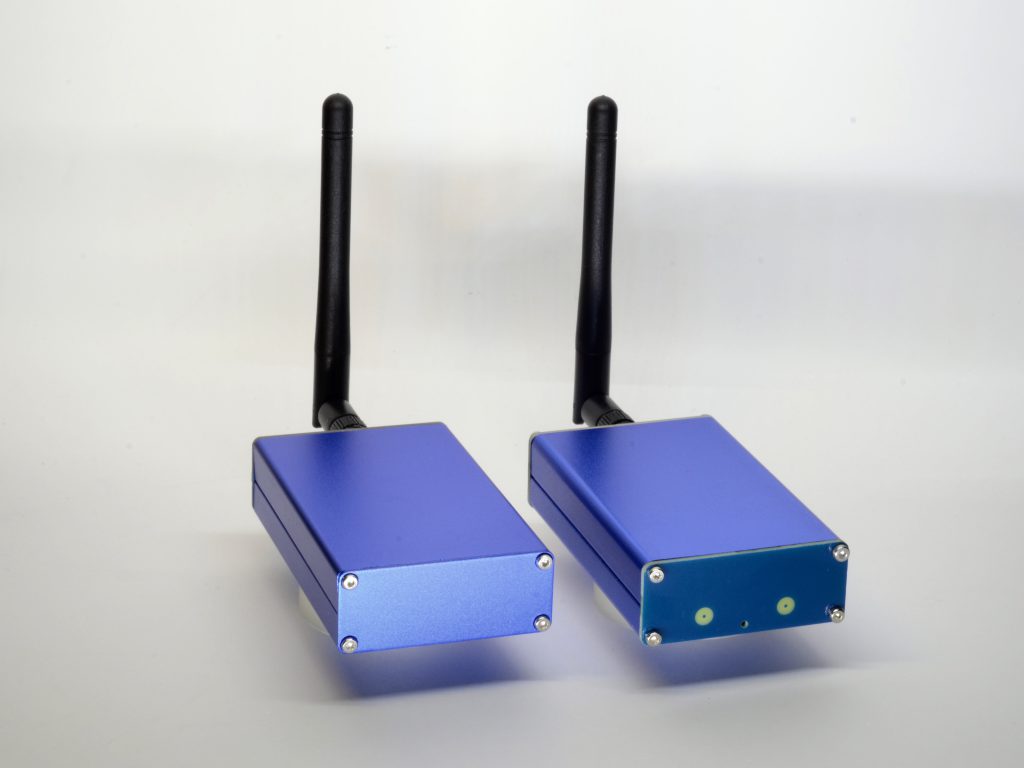
An amplifier, receiver or powered speakers
You already have something that makes the sound — a stereo amp, an AV receiver, active monitors, a soundbar with an AUX input. You just need a clean line-level signal.
- Board: HiFi-ESP32 — line out (RCA or 3.5 mm)
- Esparagus: HiFi Esparagus — line out, in an aluminium case
Speakers today, an amplifier tomorrow — or both
The Amped series bridges the two cases above. Its built-in amplifier drives passive speakers directly, while a line output can feed an external amp, an active subwoofer, or headphones instead. Pick it if your setup is likely to change, or you are not sure yet.
- Board: Amped-ESP32 — 2×40 W speaker outputs plus a 3.5 mm line out (plugging into the jack mutes the speakers)
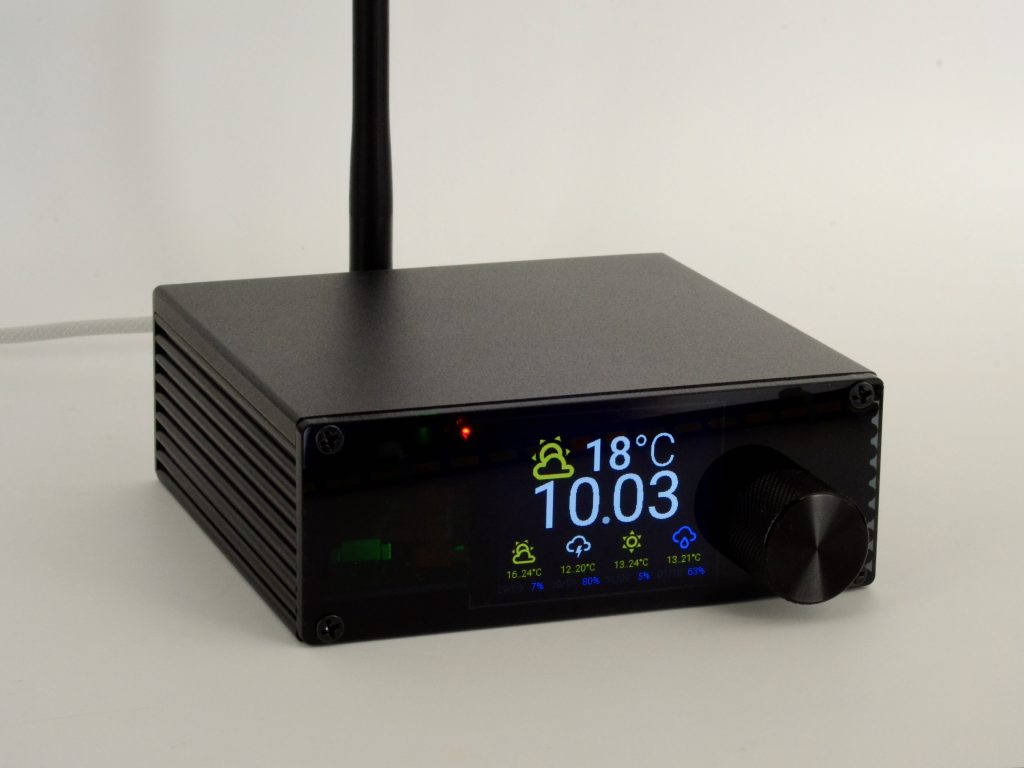
- Esparagus: Amped Esparagus — 2×40 W with a line out and a volume knob, in an aluminium case
Side by side
| Device | Plugs into | Output | Power from | Price |
|---|---|---|---|---|
| Louder-ESP32 | full-size passive speakers | 2×32 W (Plus: 2×45 W) | 5–28 V adapter | $24 |
| Louder Esparagus | full-size passive speakers | 2×45 W | USB-PD or 5–28 V | $69 |
| Loud-ESP32 | small passive speakers | 2×5 W | USB-C 5 V | $20 |
| Loud Esparagus | small passive speakers | 2×5 W | USB-C 5 V | $45 |
| HiFi-ESP32 | amp / powered speakers | line out | USB-C 5 V | $20 |
| HiFi Esparagus | amp / powered speakers | line out | USB-C 5 V | $45 |
| Amped-ESP32 | speakers and/or amp | 2×40 W + line out | 5–28 V adapter | $25 |
| Amped Esparagus | speakers and/or amp | 2×40 W + line out | USB-PD or 9–28 V | $79 |
What else you need
- Your speakers or amplifier, and speaker wire or an audio cable
- A power supply — see choosing a power supply: a USB-C phone charger for the small devices, USB-PD or a barrel-jack adapter for the powerful ones
- For the first install only: a desktop computer with Chrome or Edge, and a USB-C data cable
- Spotify Connect needs a Spotify Premium account
Set it up
About fifteen minutes per room. No code needed.
1. Install the firmware from your browser
Plug the device into your computer with a USB-C data cable, open the installer in Chrome or Edge, find your board in the Squeezelite-ESP32 section and click Install. Take the 16-bit build unless you know you need the 32-bit one. It takes about two minutes. All the hardware settings (amplifier, DAC, pins) are already built into the installer, so there is nothing to configure.

2. Connect it to your Wi-Fi
After the install the device starts in setup mode. On your phone, join the Wi-Fi network called squeezelite- followed by a few letters (password: squeezelite). A setup page opens: let it scan, pick your home Wi-Fi and enter the password. It shows the device’s new address — open it in a browser, give the speaker a name (this is what you’ll see in Spotify, AirPlay and Bluetooth), then click Exit Recovery. On the same System tab you can switch Spotify, Bluetooth and AirPlay on or off one by one.

3. No music server? Switch off the search
Out of the box the device looks for a music server (Lyrion or Music Assistant) and restarts every few minutes if it can’t find one. If you will only use Spotify, AirPlay and Bluetooth, open the device’s web page, go to the NVS editor, set autoexec1 to the line below and save. Skip this step if you plan to use Music Assistant or Lyrion.
squeezelite -o i2s -s -disable -b 500:2000 -C 30 -d all=sdebug4. Wire it up and play
Unplug it from the computer, connect your speakers or amplifier, and power it with its own supply. Then:
- Spotify: tap the device icon in the Spotify app and pick your speaker
- AirPlay: tap the AirPlay icon in Control Center or any app
- Bluetooth: pair from your phone’s Bluetooth settings, like any wireless speaker


5. Keep it up to date
Firmware updates install over Wi-Fi from the device’s own web page (on the classic ESP32 version). Your settings are kept.
Multi-room with Music Assistant
Spotify, AirPlay and Bluetooth play one room at a time. For synced multi-room and your own music library, connect the speakers to a music server — no reflashing needed, because Squeezelite is already a player for both.
- Music Assistant (with or without Home Assistant): enable the Squeezelite (slimproto) player provider and your speakers appear automatically. Group rooms and they play in perfect sync; stream Spotify, Tidal, Qobuz, radio or your own files; and if you run Home Assistant, they become media players for your automations
- Lyrion Music Server (formerly Logitech Media Server): the original Squeezebox server, running on a Raspberry Pi or NAS. Install its SqueezeESP32 plugin and the speakers pop up automatically; anyone at home can control playback from the web interface or a mobile app. The plugin also adds extras like a now-playing screen


Spotify Connect, AirPlay and Bluetooth keep working alongside the server, so everyone still gets their favourite way to play. If you use Music Assistant inside Home Assistant, keep Home Assistant’s own SlimProto integration switched off — the two compete for the same speakers.
Going further
- Now-playing screen: boards with the optional OLED screen can show the track and a spectrum display, set up through Lyrion’s SqueezeESP32 plugin. Details
- Wired Ethernet: boards with Ethernet can use it with two lines in the NVS editor. Settings
Questions people ask
Why the classic ESP32 and not the S3?
Squeezelite-ESP32 is developed and tested on the classic ESP32; its S3 support is unofficial and less stable. The S3 chip also has no Bluetooth audio, and updates over Wi-Fi only work on the classic version. For the other firmwares the S3 is the better pick, so if you might switch later, have a look at the AirPlay and Home Assistant pages first.
Is there any sound tuning?
No — this firmware plays the sound as it is and does not use the equaliser built into Louder devices. If you play through Lyrion, its software DSP and EQ plugins can shape the sound on the server side. If tuning your speakers matters, the AirPlay firmware offers a full parametric EQ on the same hardware.
Does AirPlay work for multi-room?
Squeezelite uses the first-generation AirPlay, which plays to one speaker at a time. It also buffers for a couple of seconds, so there is a noticeable delay: fine for music, not for watching videos. For AirPlay multi-room, use Music Assistant (above) or the AirPlay 2 firmware.
Do I need Spotify Premium?
For Spotify Connect, yes — that is a Spotify requirement. AirPlay and Bluetooth work with any app and any account.
Can I switch to another firmware later?
Yes. The hardware does not change; install the AirPlay, Snapcast or Home Assistant (Sendspin) firmware from the browser whenever you like.
Who makes the firmware?
Squeezelite-ESP32 is an open-source project by sle118, philippe44 and contributors, in use for years on thousands of devices. Sonocotta provides builds pre-configured for each board, so all the hardware settings are done for you.
Where can I buy?
EU stock ships from Tindie and Lectronz; worldwide shipping from Elecrow. Each device page links straight to its listings.
Remember to pick the classic ESP32 version.
Stuck? Ask
Come say hi on Discord, open an issue on GitHub, or email me — I read every message.