Snapcast is the open-source way to have every room play exactly in time — the kitchen and the living room sound like one system, not an echo. A Snapcast server sends the music, and a small ESP32 audio device in each room plays it through your speakers. If you run Music Assistant, you already have the server: it is built in.
- Near-perfect sync: timing is what Snapcast was built for, so rooms play as one, even while you walk between them
- Group and regroup rooms: play the whole house together, or split it — the living room on your playlist while the kitchen gets its own soundtrack
- Volume per room: every speaker keeps its own level, even inside a group
- Zero configuration: the device finds the Snapcast server on your network by itself
- Lossless sound: FLAC streaming, with Opus or plain PCM as options
- Mix and match: the same server also feeds Raspberry Pi, PC and Android players, so ESP32 and other speakers play in the same groups
- Sound tuning on Louder devices: a 15-band equaliser and subwoofer filters, right on the device’s web page
- Affordable: from about $20 per room, reusing the speakers you already have
Is Snapcast right for you?
Choose Snapcast if…
- multi-room sync is what you care about most
- you already run Music Assistant, or a Snapcast server on a Raspberry Pi or NAS
- you want different music in different rooms from one system
- you want to mix ESP32 speakers with Raspberry Pi or PC players
The hardware is the same for every firmware, so you can switch any time just by installing a different one.
Look elsewhere if…
- you don’t want any server at all: try Spotify, AirPlay and Bluetooth or AirPlay 2
- you want a voice assistant or the tightest Home Assistant integration: see Home Assistant
- you want to play from your phone directly over Bluetooth
How it works
1. Your music
Music Assistant, Mopidy, MPD, Spotify or AirPlay — anything that can feed a Snapcast server.
2. The Snapcast server
Built into Music Assistant, or running on a Raspberry Pi or NAS. It timestamps the audio and sends it to every room.
3. A device per room
A Sonocotta board running Snapclient finds the server, joins in, and plays in perfect sync through your speakers or amplifier.
Pick your device
Only one question really matters: what will the device plug into? Then choose between a bare board (lowest price, fits a standard Raspberry Pi case) and an Esparagus device (finished aluminium case, ready for the shelf).
Get the classic ESP32 version. Snapclient is stable on the classic ESP32; the S3 build is still in beta and noticeably laggier. Both versions cost the same — just pick “ESP32” rather than “ESP32-S3” when you order.

Full-size passive speakers
Bookshelf or floor-standing speakers with bare speaker-wire terminals — including that old hi-fi pair. The Louder series brings the power to fill a living room, and Snapclient uses its built-in sound tuning.
- Board: Louder-ESP32 — 2×32 W with sound tuning (Plus: 2×45 W)
- Esparagus: Louder Esparagus — 2×45 W with sound tuning, in an aluminium case
Smaller speakers: kitchen, desk, bathroom
Compact passive speakers where a few watts is plenty. Simple, cheap, and it runs from any USB-C phone charger.
- Board: Loud-ESP32 — 2×5 W, the simplest and cheapest way in
- Esparagus: Loud Esparagus — 2×5 W in an aluminium case

An amplifier, receiver or powered speakers
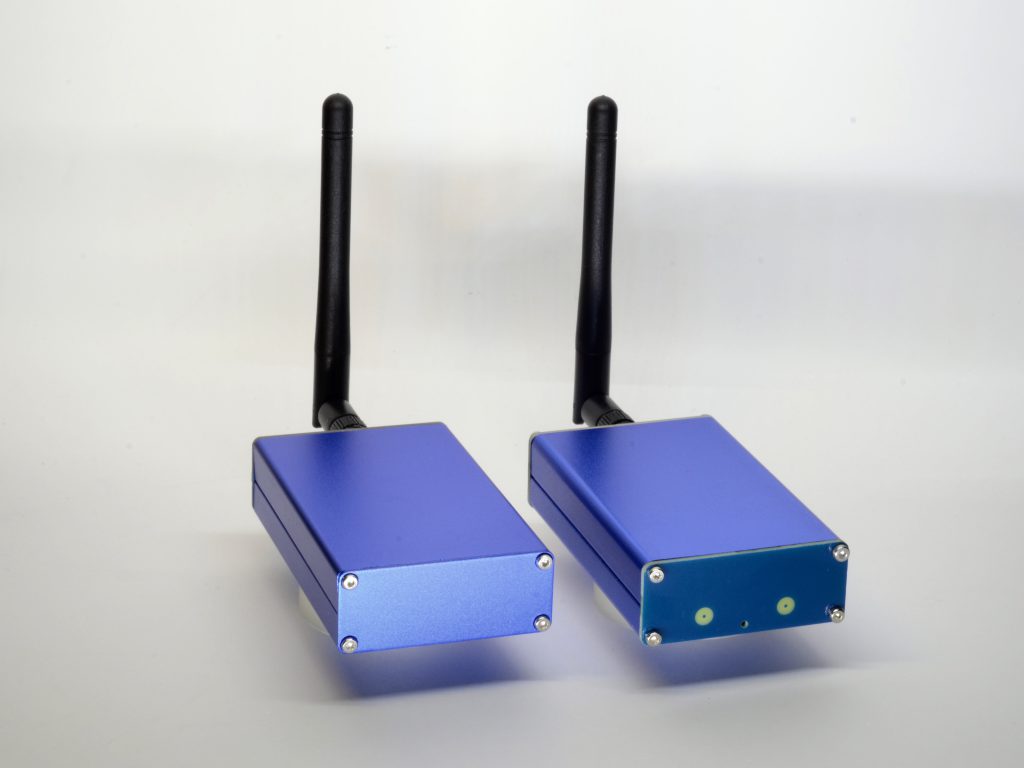
You already have something that makes the sound — a stereo amp, an AV receiver, active monitors, a soundbar with an AUX input. You just need a clean line-level signal.
- Board: HiFi-ESP32 — line out
- Esparagus: HiFi Esparagus — line out, in an aluminium case
Speakers today, an amplifier tomorrow — or both
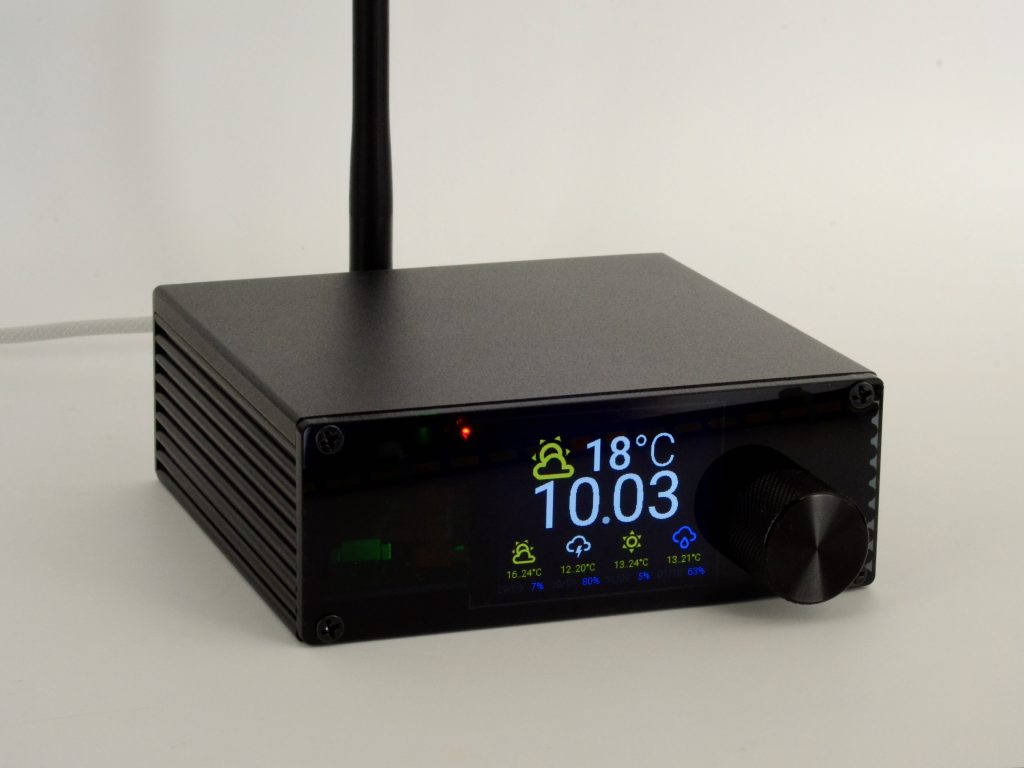
The Amped series bridges the two cases above. Its built-in amplifier drives passive speakers directly, while a line output can feed an external amp, an active subwoofer, or headphones instead. Pick it if your setup is likely to change, or you are not sure yet.
- Board: Amped-ESP32 — 2×40 W speaker outputs plus a 3.5 mm line out (plugging into the jack mutes the speakers)
- Esparagus: Amped Esparagus — 2×40 W with a line out and a volume knob, in an aluminium case
Side by side
| Device | Plugs into | Output | Sound tuning (DSP) | Power from | Price |
|---|---|---|---|---|---|
| Louder-ESP32 | full-size passive speakers | 2×32 W (Plus: 2×45 W) | ✅ | 5–28 V adapter | $24 |
| Louder Esparagus | full-size passive speakers | 2×45 W | ✅ | USB-PD or 5–28 V | $69 |
| Loud-ESP32 | small passive speakers | 2×5 W | — | USB-C 5 V | $20 |
| Loud Esparagus | small passive speakers | 2×5 W | — | USB-C 5 V | $45 |
| HiFi-ESP32 | amp / powered speakers | line out | — | USB-C 5 V | $20 |
| HiFi Esparagus | amp / powered speakers | line out | — | USB-C 5 V | $45 |
| Amped-ESP32 | speakers and/or amp | 2×40 W + line out | — | 5–28 V adapter | $25 |
| Amped Esparagus | speakers and/or amp | 2×40 W + line out | — | USB-PD or 9–28 V | $79 |
What else you need
- A Snapcast server: Music Assistant (built-in), or snapserver on a Raspberry Pi or NAS
- Your speakers or amplifier, and speaker wire or an audio cable
- A power supply — see choosing a power supply
- For the first install only: a desktop computer with Chrome or Edge, and a USB-C data cable
Set it up
About ten minutes per room once the server is running. No code needed.
1. Get a Snapcast server
The easy way: in Music Assistant, add the Snapcast player provider and leave it on the built-in server. Music Assistant starts its own Snapcast server with no further setup, and streams Spotify, Tidal, Qobuz, radio or your own files into it.
The classic way: run snapserver on a Raspberry Pi or NAS and feed it from Mopidy, MPD, librespot (Spotify) or shairport-sync (AirPlay). Control it from the Snapweb page or the Snapcast app on Android.
2. Install the firmware from your browser
Plug the device into your computer with a USB-C data cable, open the Snapclient installer in Chrome or Edge, find your board and click Connect to device. Every Sonocotta board has a ready-made build, so there is nothing to configure.

3. Connect it to your Wi-Fi
Right after the install, the installer asks for your Wi-Fi network and password, still in the browser. The device restarts and joins your network.

4. Wire it up and play
Connect your speakers or amplifier and power the device with its own supply. It finds the Snapcast server automatically and shows up as a new player. Start music in Music Assistant (or your Snapcast source) and pick the room.
5. Group rooms
In Music Assistant, group players with a tap — Snapcast, Sendspin and Squeezelite players can all live side by side there. With a standalone server, use Snapweb or the Snapcast app to put rooms in groups, choose which stream each group plays, and set each speaker’s volume.


Sound tuning on Louder devices
On Louder devices, Snapclient drives the signal processor (DSP) built into the amplifier chip. Open the device’s address in a browser to find the controls:
- 15-band equaliser: one setting for both speakers, or a separate equaliser for each when they differ
- Subwoofer and tweeter filters: steep (4th-order) low- and high-pass presets for a subwoofer, or for two-way speakers driven from separate channels
- Stereo, mono, left or right, and bridged mode for one bigger speaker
- Power limit: lower the amplifier’s gain to protect small speakers
- Health monitoring: over-temperature, over-current and power faults at a glance


Questions people ask
Do I really need a server?
Yes — Snapcast speakers play what a Snapcast server sends them. If you run Music Assistant, it has one built in. Otherwise snapserver runs happily on a Raspberry Pi or NAS. Want no server at all? Look at Spotify, AirPlay and Bluetooth or AirPlay 2.
Why the classic ESP32 and not the S3?
Snapclient is mature and stable on the classic ESP32. The S3 build is still in beta and noticeably laggier, so it is not recommended yet.
Can I use Spotify or AirPlay?
Not on the device itself — Snapcast speakers only listen to the server. But the server can take them in: Music Assistant’s Spotify Connect and AirPlay plugins expose every room and group to your phone, and a standalone snapserver can use librespot and shairport-sync for the same thing.
Does it work with Home Assistant?
Yes, two ways. Through Music Assistant, the speakers become players you can group and use in automations. Home Assistant also has its own Snapcast integration to control groups, sources and volume.
Can I mix it with other speakers?
Yes. Raspberry Pi, PC and Android Snapcast players join the same groups. In Music Assistant, Snapcast speakers also live alongside Sendspin and Squeezelite ones.
Can I switch to another firmware later?
Yes. The hardware does not change; install the Home Assistant (Sendspin), AirPlay or Squeezelite firmware from the browser whenever you like.
Who makes the firmware?
It is the open-source snapclient project by CarlosDerSeher and contributors, packaged by Sonocotta as ready-made builds for each board, with the sound-tuning controls added for Louder devices.
Where can I buy?
EU stock ships from Tindie and Lectronz; worldwide shipping from Elecrow. Each device page links straight to its listings.
Remember to pick the classic ESP32 version.
Stuck? Ask
Come say hi on Discord, open an issue on GitHub, or email me — I read every message.