Talk to your home the way you talk to Alexa — “turn off the lights”, “set a timer for ten minutes”, “what’s the weather?” — but with Home Assistant doing the thinking, on your own hardware if you like. And because it is a Sonocotta audio device, the same box is also a proper multi-room music speaker.
- Your voice stays yours: process speech fully at home, or use Home Assistant Cloud if you prefer — your choice, not a company’s
- Wake word on the device: it listens for the wake word itself and only sends audio to Home Assistant after hearing it
- Controls everything Home Assistant controls: lights, heating, blinds, timers, scenes — any brand, any integration
- Music and voice in one box: Sendspin multi-room music runs alongside the assistant; music ducks while you talk and comes back after
- Real sound: from a compact stereo pair to 2×45 W, or straight into your hi-fi amplifier
- Open and hackable: plain ESPHome configs you can read, change and extend
Beta, honestly: voice works today — wake word, answers and music ducking all do their job — but the configs are new and still being polished. It is a great fit if you enjoy tinkering with Home Assistant; if you want something that just works out of the box, start with music and add voice later.
How it works
1. Wake word
The ESP32-S3 listens for the wake word on its own, using its built-in AI acceleration. Nothing leaves the room until it hears it.
2. Home Assistant
Your words go to Home Assistant’s Assist, which turns them into text, works out what you mean and acts on it.
3. Speech, local or cloud
Speech is processed on your Home Assistant server, or by Home Assistant Cloud for the widest language support.
4. The answer
The reply is spoken through your speakers, and your music picks up where it left off.
Pick your device
Voice needs two things: an ESP32-S3 (the classic ESP32 can’t run the wake word) and a microphone. Some devices have one built in; the bare boards take a small add-on mic you can order with the board.
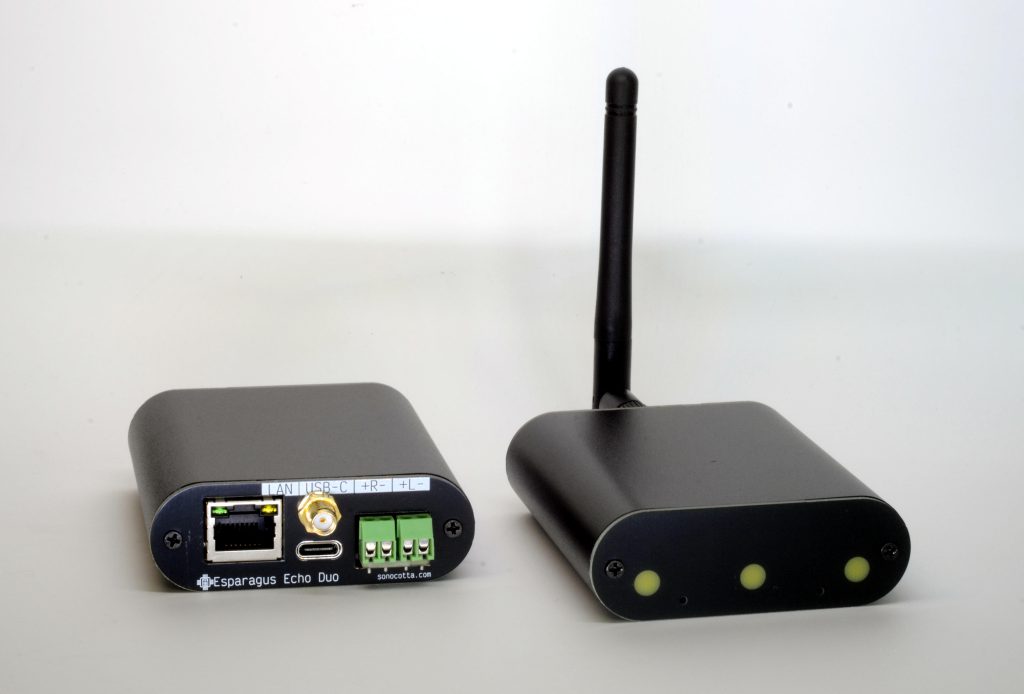
Made for voice
A compact aluminium box with microphones and status lights on the front, and a small stereo speaker output on the back. The closest thing to an Echo Dot — but open.
- Esparagus: Esparagus Echo Duo — two microphones, 2×5 W stereo, Ethernet
- Simpler: Esparagus Echo Solo — one microphone and one 5 W speaker output
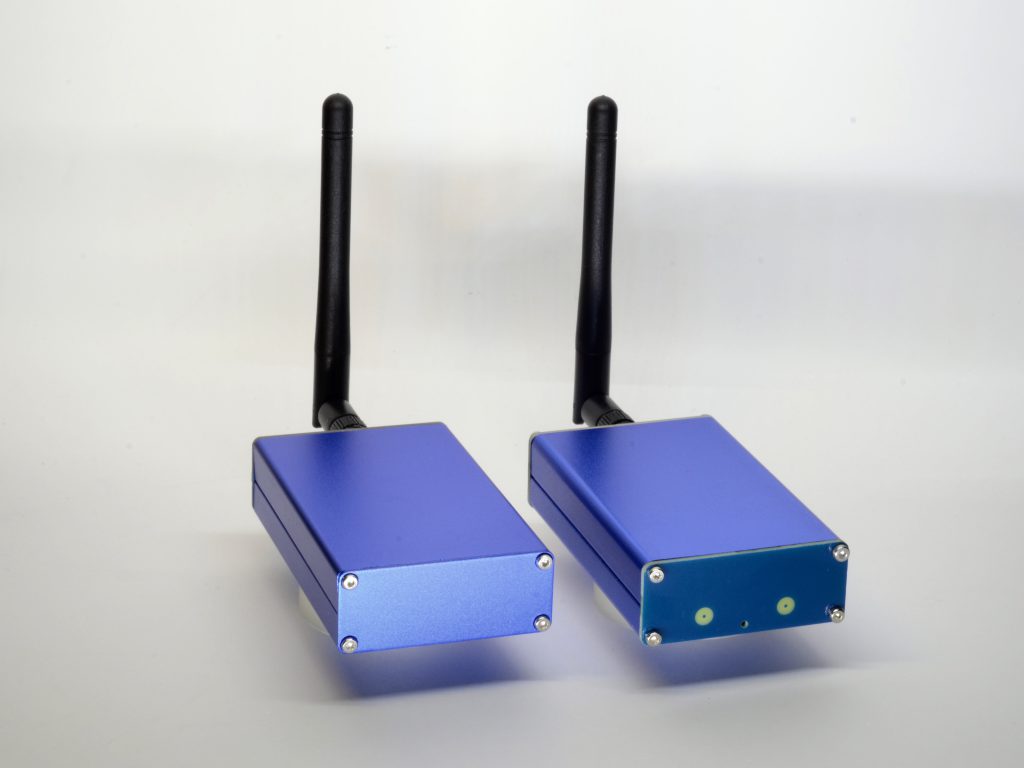
Voice for your hi-fi
Your amplifier or powered speakers stay in charge of the sound; this small box adds the microphone, the wake word and the music streaming.
- Esparagus: HiFi Esparagus S3 — line out, microphone built in
Voice with real power
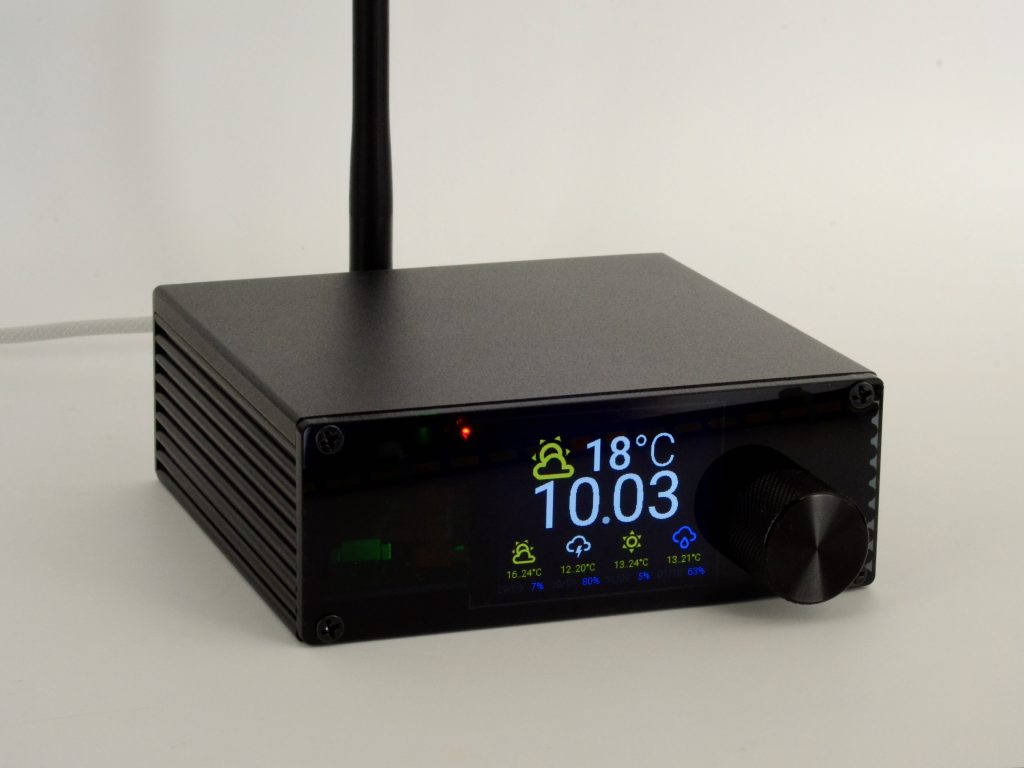
For the living room, where the speaker needs to fill the space as well as listen.
- Esparagus: Amped Esparagus Plus — 2×40 W plus line out, colour screen, volume knob, microphone built in
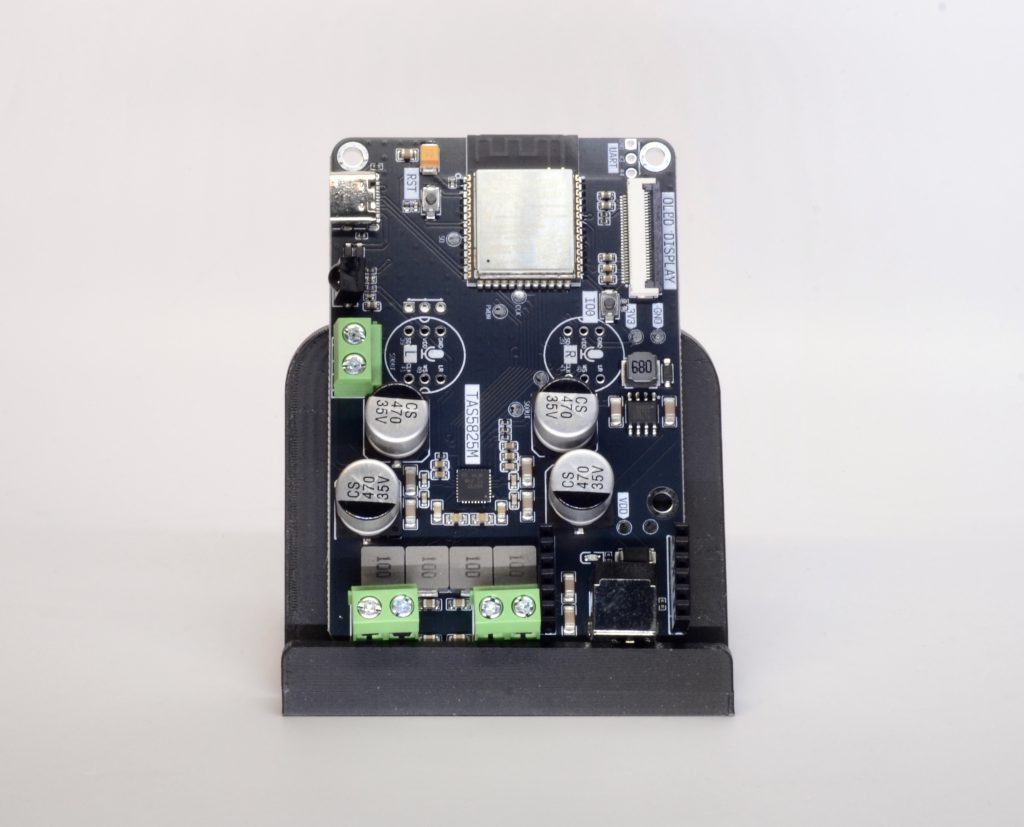
- Board: Louder-ESP32-Pro — 2×45 W with sound tuning, colour screen, microphone and Ethernet built in
Any S3 board, plus a mic
On a budget, or building your own speaker? Every ESP32-S3 board has a published voice config — add the optional microphone when you order.
- Boards: HiFi-ESP32-S3, Loud-ESP32-S3, Louder-ESP32-S3 or Amped-ESP32-S3 with the add-on mic
Side by side
| Device | Microphone | Sound | Screen | Price |
|---|---|---|---|---|
| Esparagus Echo Duo | 2 built in | 2×5 W stereo | — | $45 |
| Esparagus Echo Solo | 1 built in | 1×5 W | — | $35 |
| HiFi Esparagus S3 | built in | line out | — | $45 |
| Amped Esparagus Plus | built in | 2×40 W + line out | colour TFT | $79 |
| Louder-ESP32-Pro | built in | 2×45 W with sound tuning | colour TFT | $45 |
| HiFi / Loud / Louder / Amped-ESP32-S3 | add-on | line out to 2×32 W | optional OLED | $20-30 + $5 mic |
What else you need
- Home Assistant, with Assist (it is built in)
- Speech processing: Home Assistant Cloud, or local processing on your Home Assistant server. Simple local commands run on a Raspberry Pi 4 or 5; full local speech recognition needs a faster machine
- Speakers and a power supply — see choosing a power supply
Set it up
If you have already set up a Sonocotta device for multi-room audio in Home Assistant, you are most of the way there.
1. Start with the standard firmware
Install the Sendspin firmware from the web installer, connect the device to your Wi-Fi, and add it to Home Assistant, exactly as in the Home Assistant guide.
2. Switch to the voice config
In Home Assistant, open the ESPHome Builder add-on and take control of the device. Replace its config with the voice-enabled one for your board from the voice + Sendspin configs, and click Install. The update goes over Wi-Fi; no cable needed.
3. Set up voice in Home Assistant
Home Assistant notices the new voice assistant and opens a short wizard. Choose how speech is processed — Home Assistant Cloud, focused local processing for common home commands, or full local processing — and pick a wake word.

4. Talk to it
Say the wake word, then your request. Try “turn on the kitchen lights”, “set a timer for five minutes” or “what time is it?”. Music keeps playing through Music Assistant as before, and dips while you speak.
What works today
- Wake word detection on the device
- Speech to Home Assistant, spoken replies, timers
- Music over Sendspin alongside voice, with ducking during conversations
Still being polished: the configs are new and not yet as tested as the music-only ones, and in voice mode the amplifier stays powered on instead of sleeping between tracks. Updates land through the same ESPHome configs, so improvements reach your device without rewiring anything.
Questions people ask
Is it as good as Alexa?
For controlling your home, often better: it understands every device Home Assistant knows, and you decide what it can do. For general knowledge questions and shopping it is more limited — Home Assistant can connect an AI service for open-ended questions if you want that.
Does my voice leave the house?
Only if you choose Home Assistant Cloud. With local processing, both the wake word and the speech recognition happen on your own hardware.
Why does it need an ESP32-S3?
The wake word runs on the device itself, and that needs the S3’s extra processing power and memory. The classic ESP32 cannot do it.
Can I start with music and add voice later?
Yes. Every device on this page plays Sendspin music first. On the bare boards, order the add-on microphone with the board so it is ready when you are.
Can I use Spotify or AirPlay too?
Yes, through Music Assistant: its Spotify Connect and AirPlay plugins expose every room as a player on your phone. See Multi-room audio for Home Assistant.
Where can I buy?
EU stock ships from Tindie and Lectronz; worldwide shipping from Elecrow. Each device page links straight to its listings.
Pick the ESP32-S3 version, with the microphone where it is optional.
Stuck? Ask
Come say hi on Discord, open an issue on GitHub, or email me — I read every message.
Voice is beta, so feedback is especially welcome.